Leveraging Multifunction Printers for Seamless Cloud and Network Integration
- Preeti Aggarwal
- Dec 3, 2025
- 2 min read

Workplaces today rely on a mix of digital and physical documentation, yet managing both efficiently remains a challenge for many small and mid-sized businesses. Cloud storage may have simplified file access, but printing, scanning and sharing still form an essential part of everyday communication.
The key lies in creating a document environment where cloud access and print systems work in sync, allowing teams to move between screens and paper without friction.

The Shift Toward Connected Printing
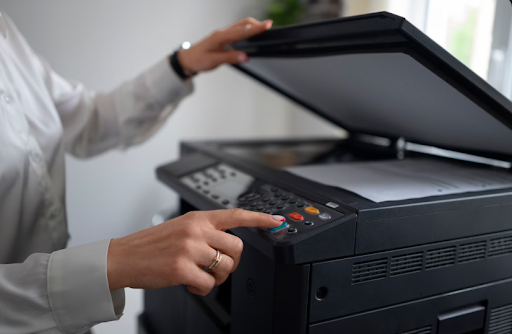
As collaboration becomes increasingly hybrid, companies are seeking ways to unify workflows across office and remote setups. A reliable office printer with cloud integration can act as a bridge, connecting stored data with physical output securely and instantly. Instead of relying on fragmented tools or multiple devices, an intelligent multifunction printer consolidates printing, scanning and sharing within one streamlined process.
These systems not only improve accessibility but also reduce the time lost in managing files. Teams can retrieve, edit and print directly from cloud applications, ensuring the most updated version of a document is used every time. This approach strengthens coordination while maintaining the consistency that businesses need when handling reports, proposals or client materials.
Why Integration Matters for SMBs
For smaller organisations, efficiency often comes down to simplicity. Devices like the Canon C1333i demonstrate how a multifunction setup can help teams work smarter without adding complexity. With built-in Wi-Fi Direct and network connectivity, the device enables printing and scanning across multiple systems without requiring manual transfers.
Its compact build suits limited office spaces, while features such as secure print and encrypted PDF handling provide reassurance for data-sensitive environments. This balance between performance and practicality allows small teams to maintain professional output while staying flexible to new digital tools.
Building a Secure and Scalable Workflow
Security continues to be a top priority for businesses handling client information or internal records. Modern devices integrate features such as user authentication, encrypted data transfer and restricted access controls. A colour laser printer with these built-in safeguards helps protect information as it moves between devices and networks, reducing risks associated with open cloud sharing.
The advantage is scalability. As operations expand, such systems can integrate easily with evolving infrastructure, from shared drives to advanced cloud platforms. The setup becomes part of a connected environment where documents move securely and transparently across departments.
Moving Towards Smarter Document Systems
Cloud-connected printing is not just about convenience but also marks a step towards reducing duplication, delays and data inconsistencies. By investing in multifunction systems that support mobile printing, encrypted storage and cloud sync, businesses can maintain better control over how documents are created, accessed and archived.
Enabling the Future of Connected Work
Technology like the Canon C1333i reflects a larger movement in business operations, one where printing is no longer a standalone task but part of a broader digital ecosystem. For growing teams, this means fewer interruptions, faster workflows and a more secure exchange of information.
By aligning document management with cloud capabilities, SMBs can achieve more with less: fewer devices, fewer errors and a more cohesive workspace that keeps information moving efficiently across every level of the organisation.


Comments